Looking for iPhone Calendar Widgets? 📆

Scheduler · iPhone Calendar App
Hello! 😎 I’m the developer of Scheduler, a calendar app for iPhone, iPad, and Mac.
Scheduler’s calendar widgets are a feature that many users love. Since there are 15 widgets in total, it can be difficult to find the right one, so I’d like to recommend some especially useful widgets in addition to the “Calendar” widget.
The first widget I’d recommend is the “Upcoming Events & Calendar” widget. It shows your upcoming events alongside this month’s calendar and is perfect for placing on your iPhone Home Screen without taking up too much space. It’s small but useful, making it a popular choice among many users. That’s also why it’s the first widget in Scheduler’s widget list.
Scheduler
iPhone Calendar App
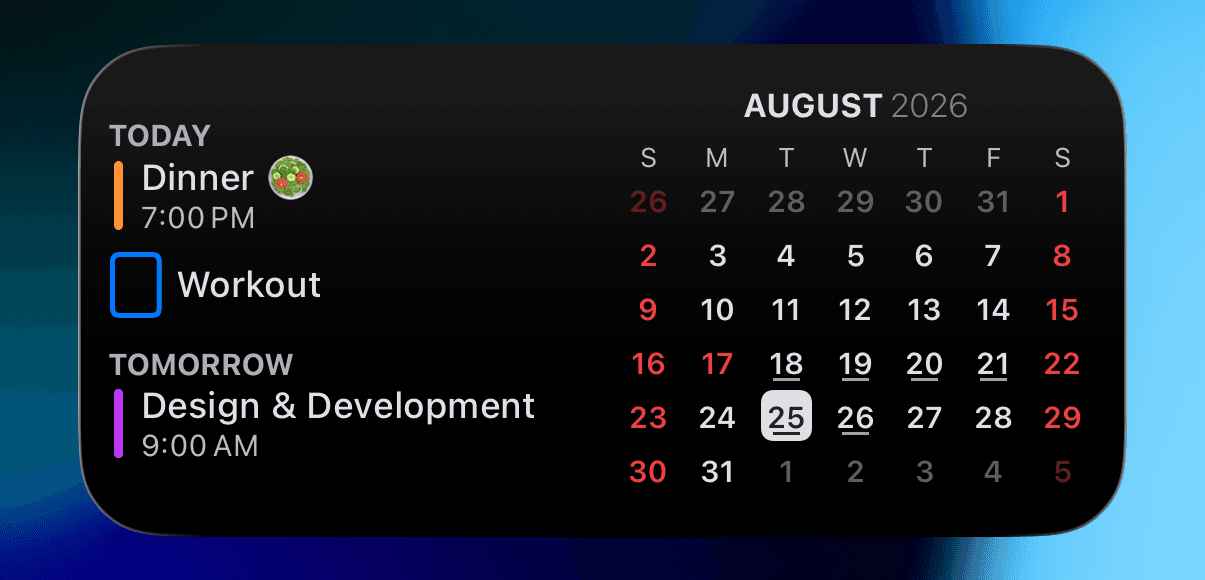
Your upcoming events are displayed on the left side of the widget. If you’ve linked Reminders to Scheduler, your incomplete reminders (to-dos) will also appear, and you can mark them as complete by tapping the check button.
This month’s calendar is displayed on the right. Dates with events have bars underneath them, making it easy to see at a glance which days have events scheduled.
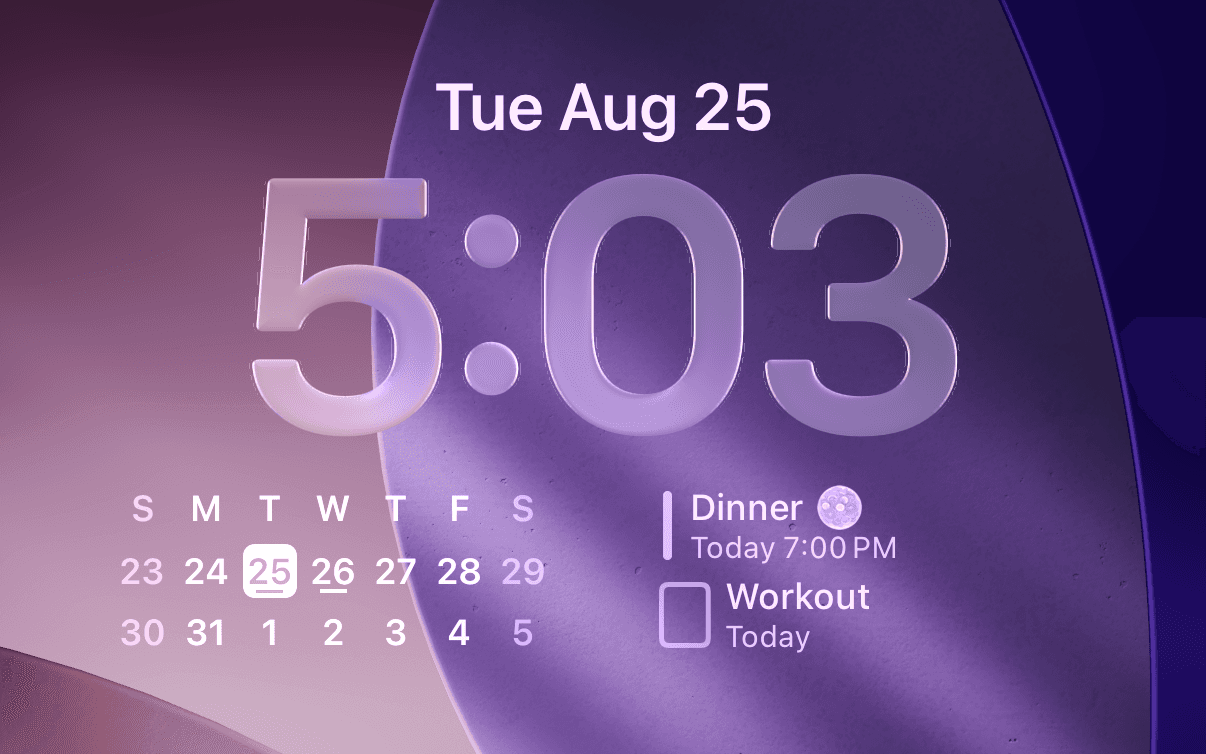
I also offer an “Upcoming Events” widget that you can add to your Lock Screen. If you place it alongside Scheduler’s Lock Screen calendar widget, you can check your schedule without unlocking your iPhone. Just like with the Home Screen widget, you can also mark incomplete reminders (to-dos) as complete by tapping the check button directly from the Lock Screen.
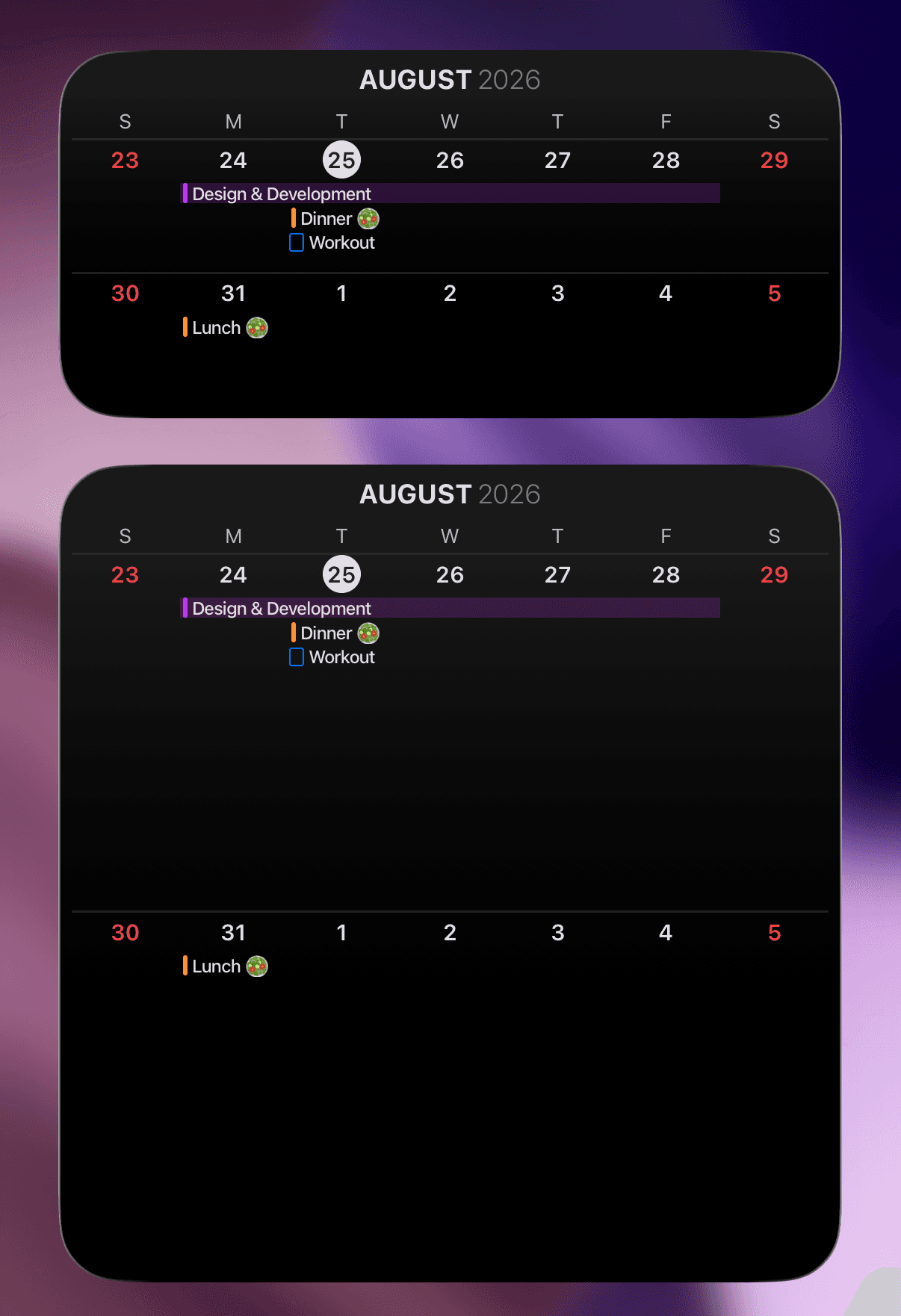
The second widget I’d recommend is the “2 Weeks” widget. As the name suggests, it shows your schedule for two weeks and is a great option if having a full-month calendar on your iPhone Home Screen feels like too much. It’s another widget that many users love 👍
There’s also a large version of the “2 Weeks” widget, so if you have a busy schedule, the larger version may be a better fit. If you’ve connected Reminders to Scheduler, your reminders will also appear alongside your events.
I’ll continue to carefully improve the widgets and add new ones to make managing your schedule even more convenient 👍
If you have any feedback while using Scheduler, please feel free to send it anytime through “Send Feedback” in the app. I’ll review it and get back to you 📧
I hope you’re always taking good care of your health 💪
Have a wonderful day 🌈✨
Scheduler
iPhone Calendar App