New Widget Release + Widget Performance & Stability Improvements 🌈

Reminder · iPhone App
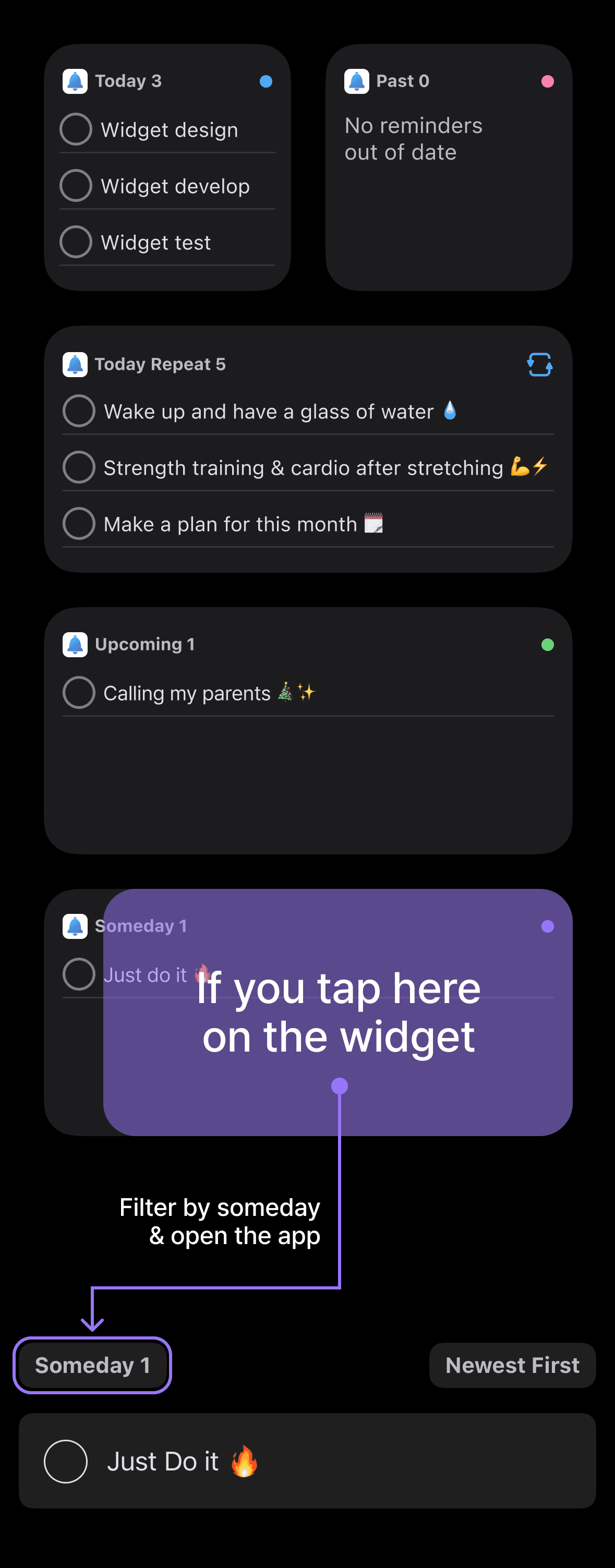
Hello! 😊 I’m excited to share that a brand-new “All Reminders” widget, one of the most requested features, is now available. Previously, I offered separate widgets for Today, Past, Upcoming, and Someday, but now you can view all of them in a single widget. This new widget is available for Membership users. Along with this release, I’ve also improved the performance and stability of all widgets and updated their background colors to make them easier to read. 🙌
🍯 [Developer Tip] Widget Filters
When you tap any Reminder widget to open the app, it automatically opens with a filter showing only the tasks for that widget! For example, tapping the Today widget opens the app already filtered to display only today’s tasks.
I call this feature “Widget Filters,” and I’m really happy with how it turned out. As someone who uses the Reminder app every day, I feel this feature significantly improves the overall experience and makes the app much more convenient.
Dayte Countdown App: New “Multiple Countdowns” Widget ✨
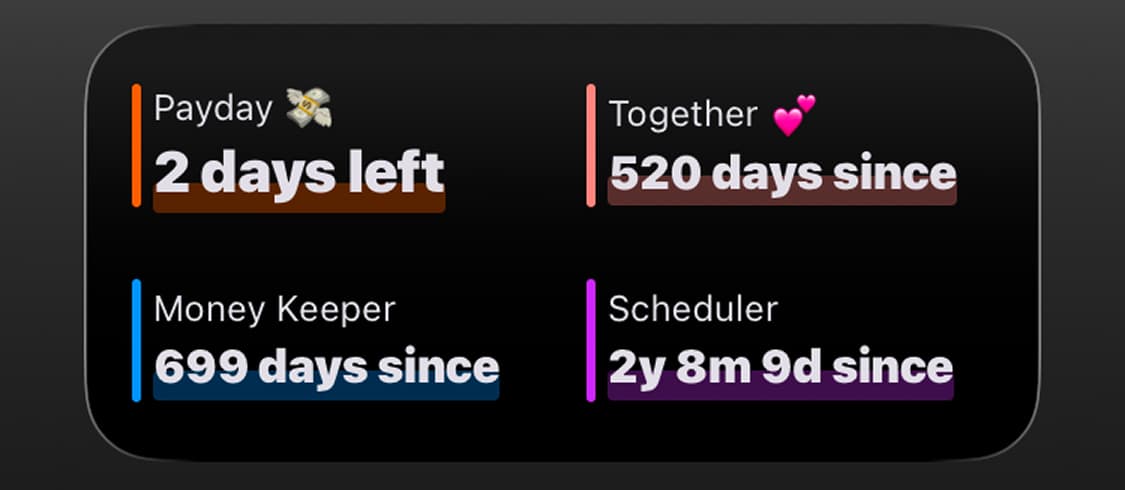
The Multiple Countdowns Widget is one of the features users have requested ever since the Dayte app launched, and I’m happy to finally bring it to you. It’s perfect if you want to display multiple special dates in a compact space. 👍

Dayte
Countdown · Only What You Need
Money Keeper: Third Update to the “Payment Methods (Expense Methods)” Feature 💳✨
The third update to the Payment Methods (Expense Methods) feature in Money Keeper is now complete! 🎉
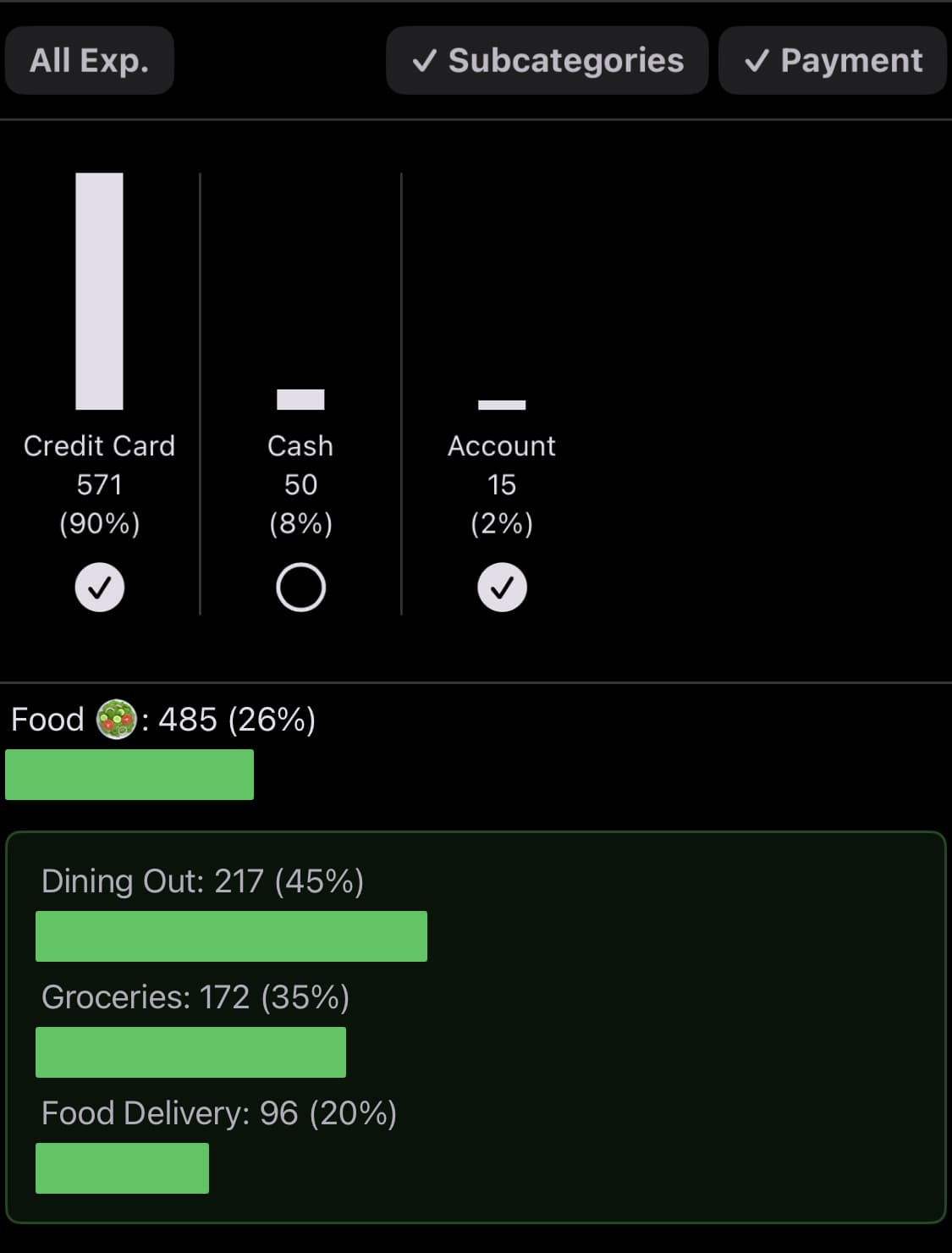
Previously, when you selected Payment Methods from the Summary screen (accessible by tapping the graph icon in the top-right corner of the app), you could only see the total amount spent for each payment method.
Now, I’ve added a filter that lets you view the detailed expense history for each payment method as well.

Money Keeper
Expenses Tracker, Payday & Budget Calendar
Thank you so much for using the Reminder app and managing your tasks with me. 🙏
If you ever need my help or have any suggestions, feel free to send them anytime through More > Send Feedback in the app. I’ll do my best to reply and help you out. 📨
I hope you’re staying healthy. 💪
Wishing you a wonderful day! 🌈✨

Reminder
Only What You Need