“Payment Method Filter” Feature 📊 and Theme Store Opening News 🎨

Money Keeper · Track Money Easily
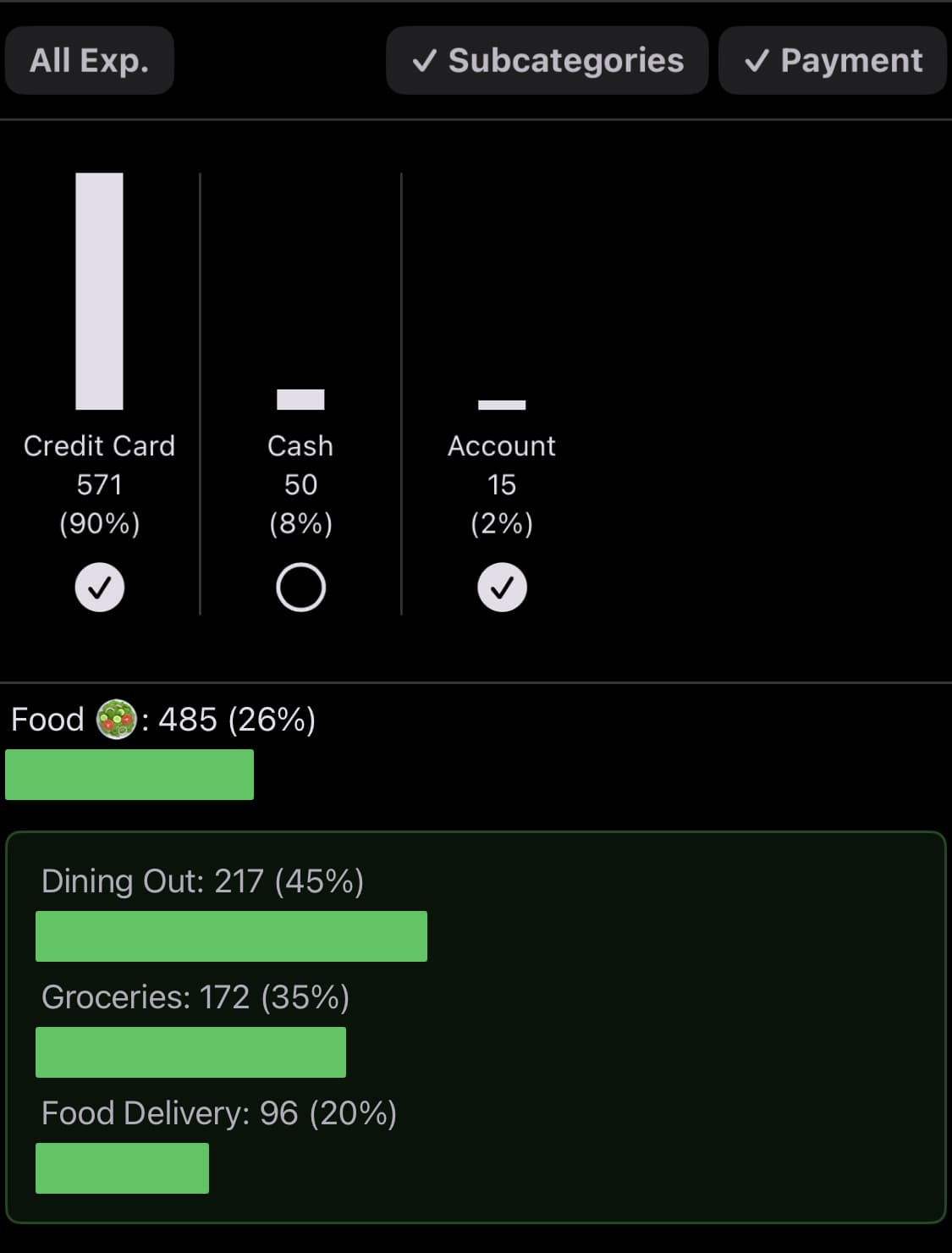
Hello 😄 The third update for the “Payment Method” feature is complete~! Previously, when you tapped “Payment” on the “Summary” screen, which you can access by tapping the graph icon button at the top right of the app screen, you could only check the total spending amount by payment method. Now, a filter feature has been added so you can also check detailed spending history by payment method.
When you tap “Payment” on the “Summary” screen, vertical graphs for each payment method appear. If you tap the graph for which you want to view details, only the detailed history for the selected payment method remains, allowing you to track spending by payment method. To make tapping easier, I set the entire graph as the selectable area 📱👍
Theme Store Open 🖌️ 🎨
I opened the “Theme Store,” which you can visit from “Theme” in “More.” Since the Theme Store is a place you’ll probably only visit occasionally, I tucked it away inside More 👍
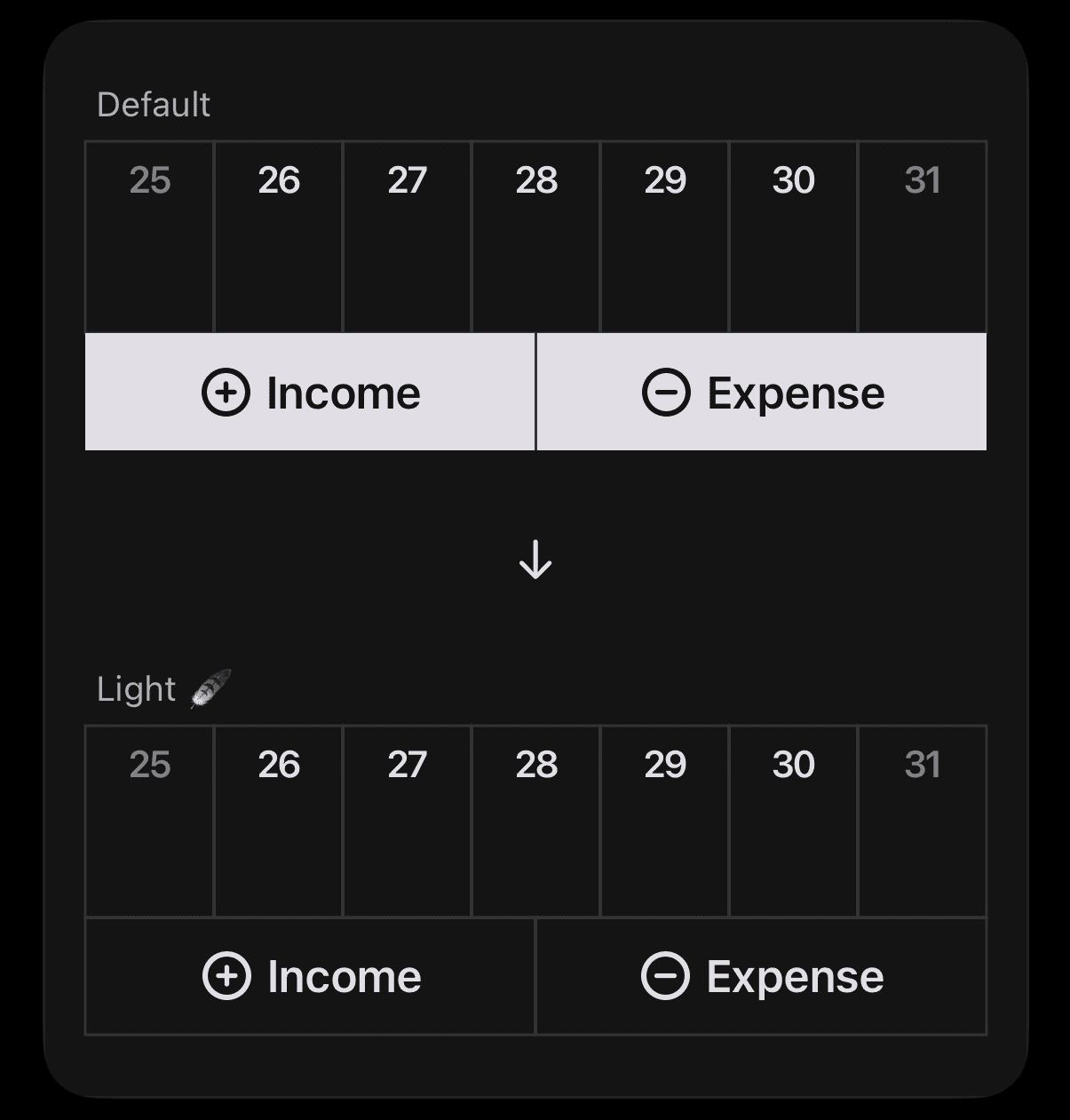
The first theme released changes the buttons below the calendar on the iPhone home screen to give them a “light feel 🪶.” While the default theme focuses on usability so that the income and expense entry buttons stand out clearly, the light feel theme focuses on aesthetics. (If you use the Money Keeper app on an iPad in portrait mode, you can also set it on iPad.)
I bought and applied it right away for testing and real use, and I’m using it now. It doesn’t feel less usable than I expected, so I’m enjoying it 😊 Since I tend to record expenses in the Money Keeper iPhone app right after I spend, I use the iPhone app more often than the Mac app, and I like it much more than the default theme! 🙌
6 Additional Updates
📌 Thanks to a valuable report from a user, I immediately fixed an issue where deposit and withdrawal records from more than 3 months ago were not visible in “Assets.”
📌 I unified the background color so that the Money Keeper app widget matches well with the widget of my Countdown app Dayte, which I am also making.
📌 I improved the deposit, withdrawal, and transfer history in Assets by fixing the width of the date on the left so it is easier to read.
📌 I immediately fixed an issue where “Default Payment Method” was displayed in income records as soon as I found it.
📌 I made code improvements to enhance speed and stability.
📌 I improved the aesthetics throughout the app.
Whenever you need my help or have any feedback, please feel free to send it through “Send Feedback” in the app. I’ll check it, reply, and do my best to help 📨
—
Thank you to all users who manage expenses together with Money Keeper 🙏
Please always take good care of your health 💪
I hope you have a happy day~! 🌈✨

Money Keeper
Expenses Tracker, Payday & Budget Calendar