Update: Easier Task Deletion 🔔

Reminder · iPhone App
Hello! ☺️ It’s been really hot lately 🤣 I hope you’re staying healthy and taking good care of yourself!
Previously, deleting tasks in the Reminder app required tapping the Trash icon in the top-right corner, selecting the tasks you wanted to remove, and then deleting them. With this update, I’ve added another, more convenient option—you can now simply press and hold a task, then tap the Delete button that appears.
Since the Reminder app is designed to help you remember and complete simple tasks ✔️, I felt it would be more convenient if you didn’t have to confirm every deletion. That’s why tapping the Delete button removes the task immediately without showing a confirmation dialog.
I’ve also improved the Repeat Reminders management screen, which you can access by tapping the rotating arrow icon at the top of the Home screen. You can now delete repeat reminders using the same press-and-hold gesture.
Thank you so much to everyone who takes the time to share valuable feedback!! 🙇♂️
If you ever need my help or have any suggestions, please feel free to send them through More > Send Feedback in the app. I’ll be happy to reply and help however I can. 📨
Money Keeper Payment Method Feature (Expense Method) – Third Update 💳✨
The third update for the Payment Method (Expense Method) feature in Money Keeper is now available!
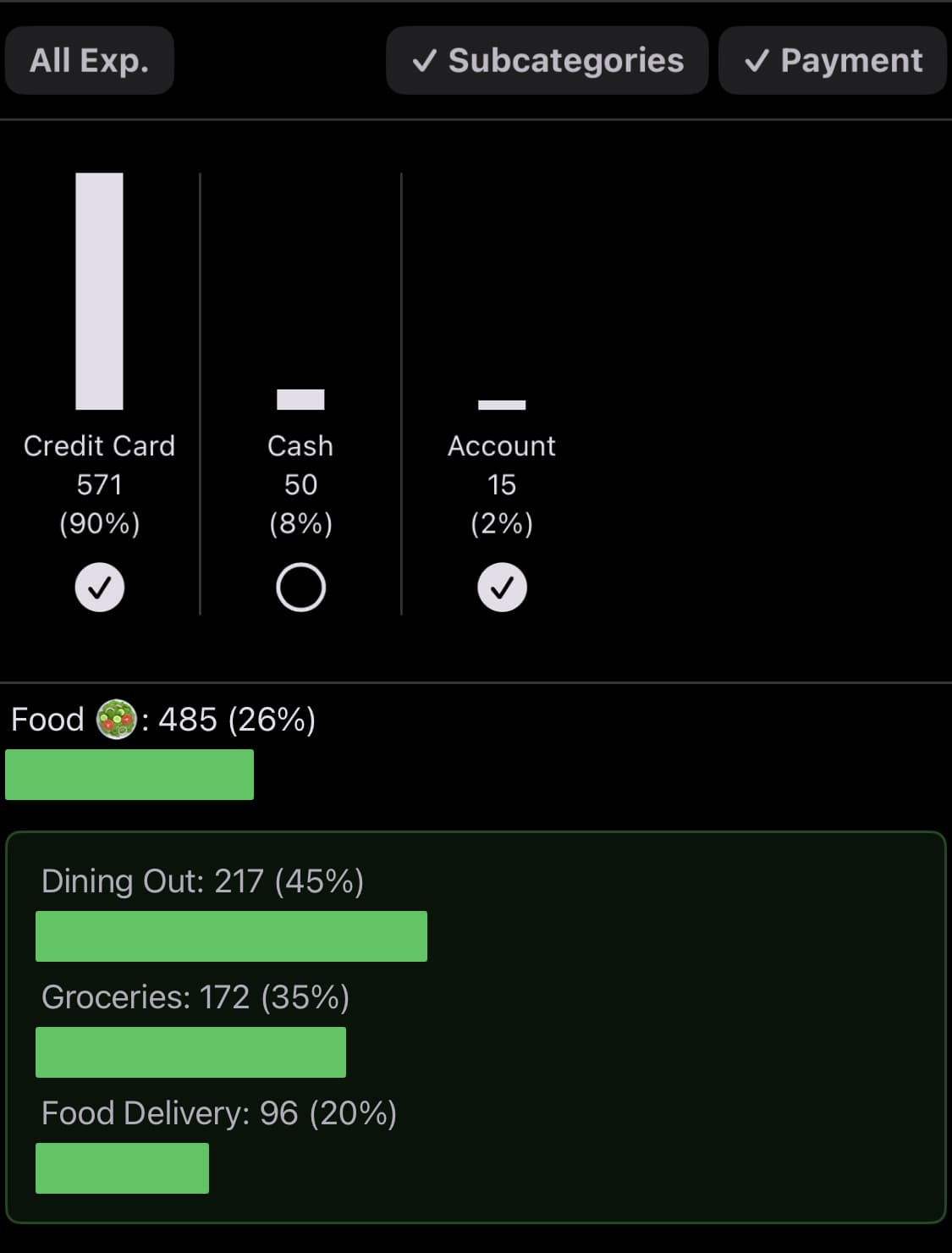
Previously, when you tapped Payment Method from the Summary screen (accessible by tapping the graph icon in the upper-right corner of the app), you could only view the total amount spent for each payment method. Now, I’ve added a filter that lets you view detailed expense records for each payment method as well.

Money Keeper
Expenses Tracker, Payday & Budget Calendar
Dayte: New Multiple Countdowns Widget ✨
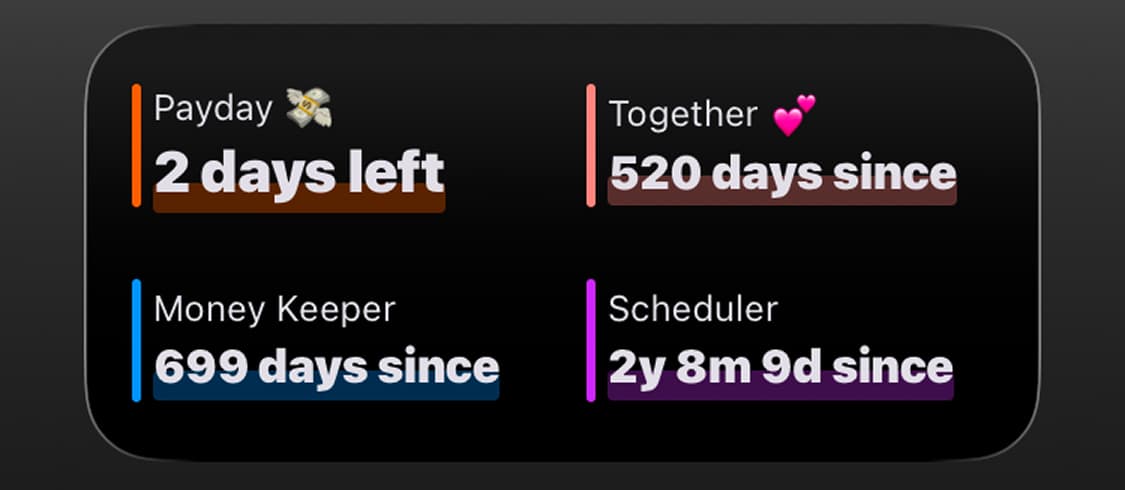
The Multiple Countdowns Widget has been one of the most requested features since Dayte launched, and I’m excited to finally bring it to you. It’s perfect if you’ve wanted to keep track of multiple countdowns in a compact widget. 👍

Dayte
Countdown · Only What You Need
Thank you for using the Reminder app to stay on top of your tasks. 🙏
If you ever need my help or have any suggestions, please feel free to send them through More > Send Feedback in the app. I’ll be happy to reply and help however I can. 📨
I hope you stay healthy. 💪
Wishing you a wonderful day! 🌈✨

Reminder
Only What You Need