Announcing the New ‘Next 7 Days’ Widget! 🎉

Scheduler · iPhone Calendar App
Hello! 😄 Recently, one of my users shared some advice about marketing and promoting Scheduler. While I’m confident in designing and developing apps like Scheduler and Money Keeper to make them easy and enjoyable to use, I’ve always felt that getting the word out is much more challenging. So I was truly grateful for the thoughtful advice 🙏
Making my apps stronger and more reliable is still my highest priority for the users who use Scheduler and my other apps every day, which is why I spend most of my time on design and development. However, I’m also thankful that I can build these apps together with users who even care about promotion, and I’ll continue doing my best to share and promote them as well!! 💪
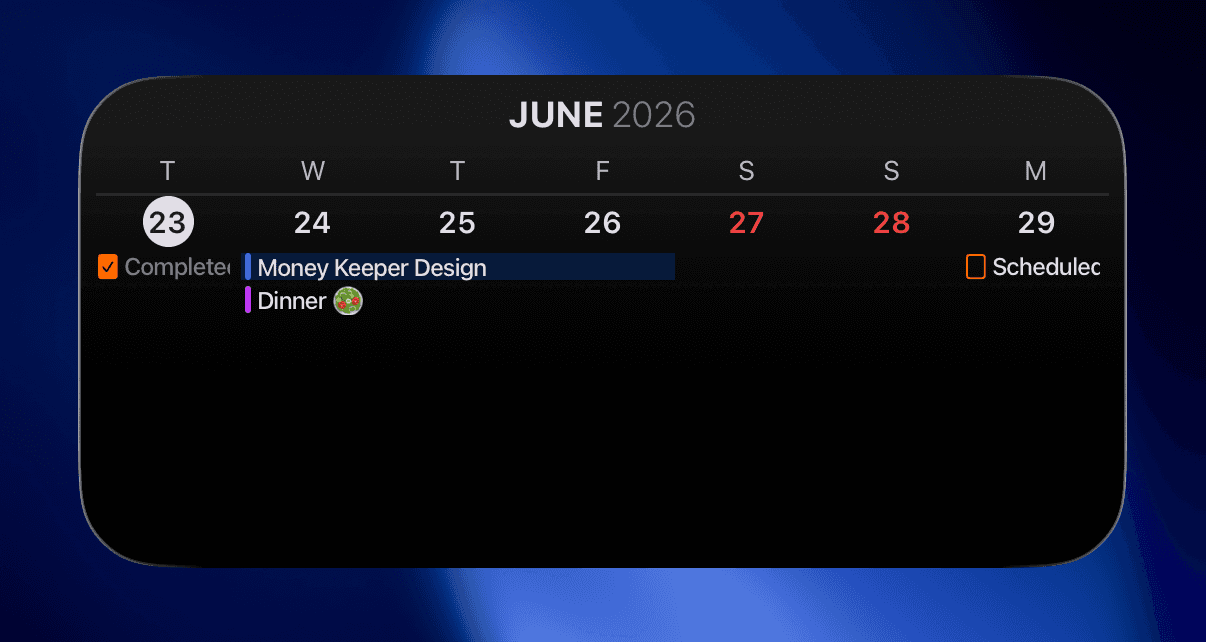
In this update, I’ve added the new ‘Next 7 Days’ widget that many users have requested. While the long-standing ‘This Week’ widget displays schedules for the current week as its name suggests, the newly added ‘Next 7 Days’ widget displays schedules for the next seven days starting from today. It comes in multiple sizes so you can choose the one that best suits your needs 👍 This widget is available for membership users 🙏
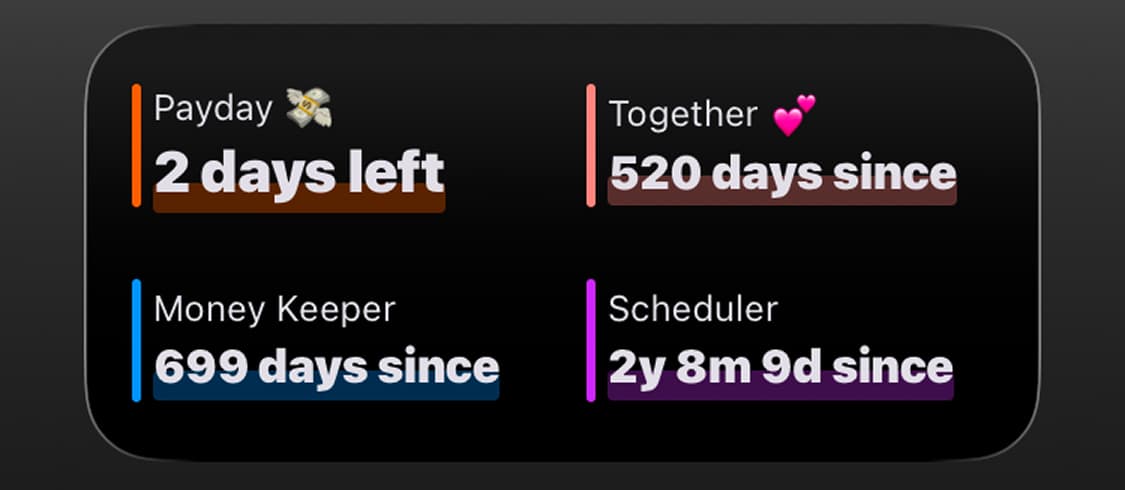
Update: ‘Multiple Special Days’ Widget in the Dayte Countdown App ✨
The ‘Multiple Special Days Widget’ has been one of the most requested features since the launch of Dayte, and I’ve finally released this update. It’s especially useful for users who want to display multiple special days in a compact space 👍

Dayte
Countdown · Only What You Need
Money Keeper Payment Method Feature – Third Update 💳✨
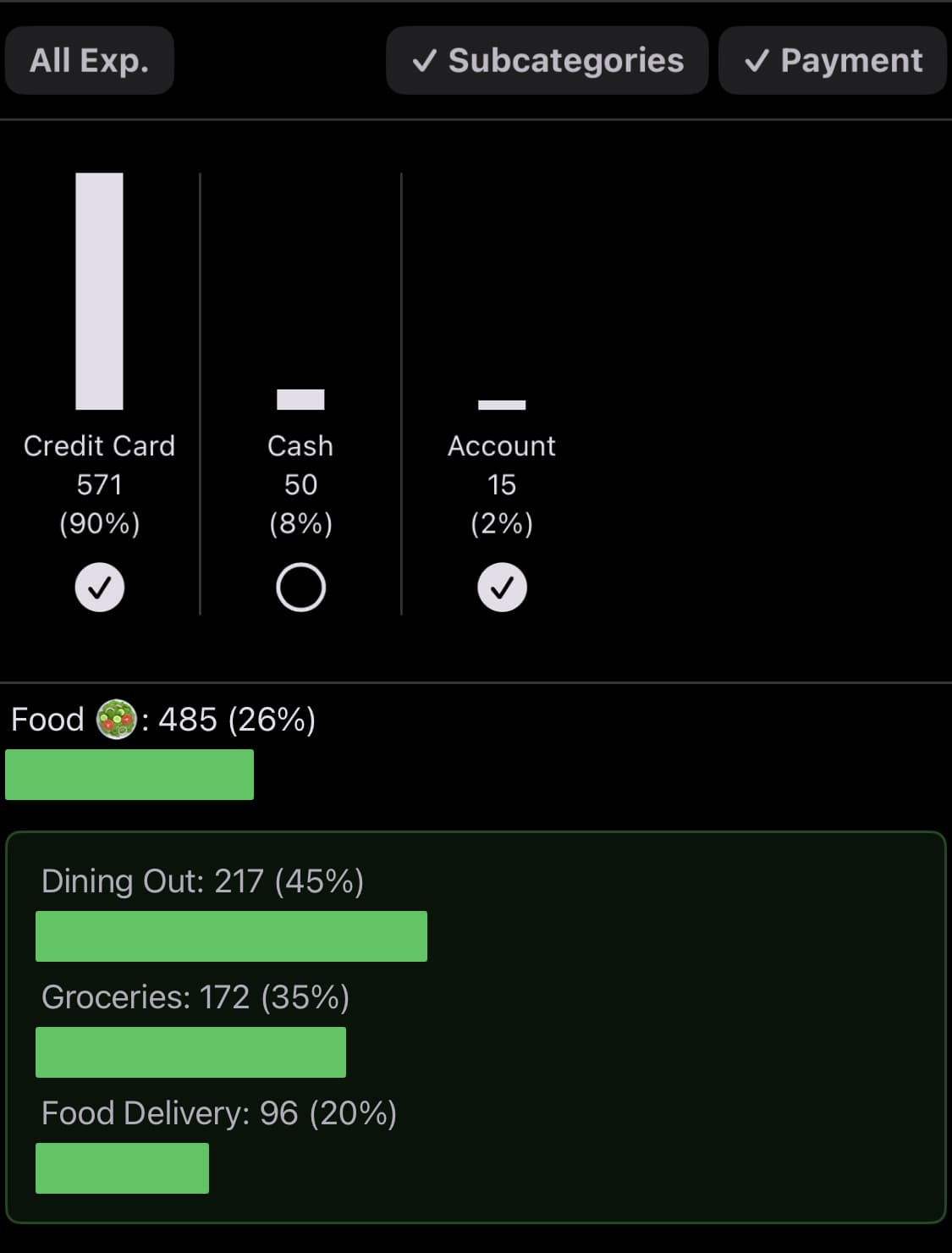
The third update to the ‘Payment Method (Expense Method)’ feature in Money Keeper has been completed~!
Previously, when you tapped ‘Payment Method’ on the ‘Summary’ screen—which can be accessed by tapping the graph icon in the upper-right corner of the app—you could only view the total spending amount for each payment method. Now, a filtering feature has been added so you can also view detailed expense records for each payment method.

Money Keeper
Expenses Tracker, Payday & Budget Calendar
Below are the additional updates released alongside the new Scheduler widget~!
📌 I added a guidance message to help new users easily discover the ‘Preferences’ menu. Preferences is where you can find various options to customize Scheduler according to your preferences. You can access it from the ‘More’ screen by tapping the three-dot button in the upper-right corner of the app.
📌 Two new guides related to external calendar integration have been added. Like Preferences, these guides can be found on the ‘More’ screen, which you can access by tapping the three-dot button in the upper-right corner of the app.
—
Thank you to everyone who uses Scheduler and manages their schedules with me 🙏
If you ever need my help or have any feedback, please feel free to send it through [More > Send Feedback] within the app. I’ll do my best to respond and assist you 📨
I hope you always stay healthy 💪
Wishing you a wonderful day! 🌈✨

Scheduler
iPhone Calendar App